More than an events directory — a tour of thirteen working services, from the calendar to the verifiable certificate.
Running your conference on your own site? List it here so it is found
You do not have to move your registration, your system, or any part of your process. A page that introduces your conference — its programme, its committees, its dates — in the place researchers in that field come to, and on the calendar and the map, with one link you point at from your own site. Registration and participation stay exactly where they are.
And if you later want to receive submissions or issue certificates here, the services are waiting — the choice is yours, event by event.
Everything the site offers, ordered by the stages of an event rather than as a list of services. Linked items are pages you can open now; the rest work inside your event once you create it.
Open registration through the site (optional)Capacity, closing when fullAn automatic waiting list once seats run outDated fee tiers: the early rate ends by itselfAttendance fees, with your account or your own payment linkThe online platform link, for registrants onlyMessaging registrants, and one message to all of themConnect the event to your systems: every registration reaches yours
Papers and peer review
for conferences and competitions
Receiving submissions by their deadlinesReviewers by private link, with no accountAutomatic assignment of papers to reviewers, and a score from eachBlind review: reviewers never see the authorAcceptance decisions and telling the authors
The days before opening
setting up the hall and the programme
Sessions, and the programme as a grid of rooms and daysThe speakers pageTent cards, badges and the session board, ready to printAutomatic reminders before the date“My schedule”: each attendee picks their sessions and prints them
The day itself
at the door and in the hall
A QR entry pass for every registrantCheck-in and check-out with your phone cameraEvent sponsors and their logos
Afterwards
once it has ended
PDF certificates in your organisation's name, for those who actually attendedA code anyone can verify the certificate withA satisfaction survey before the certificate is handed overA question sent to those who attended, for them to answerThe final report on one pageDownloading the event's lists and filesKeeping its material in the site library
For visitors and members
Working from your first visit — most need no account.
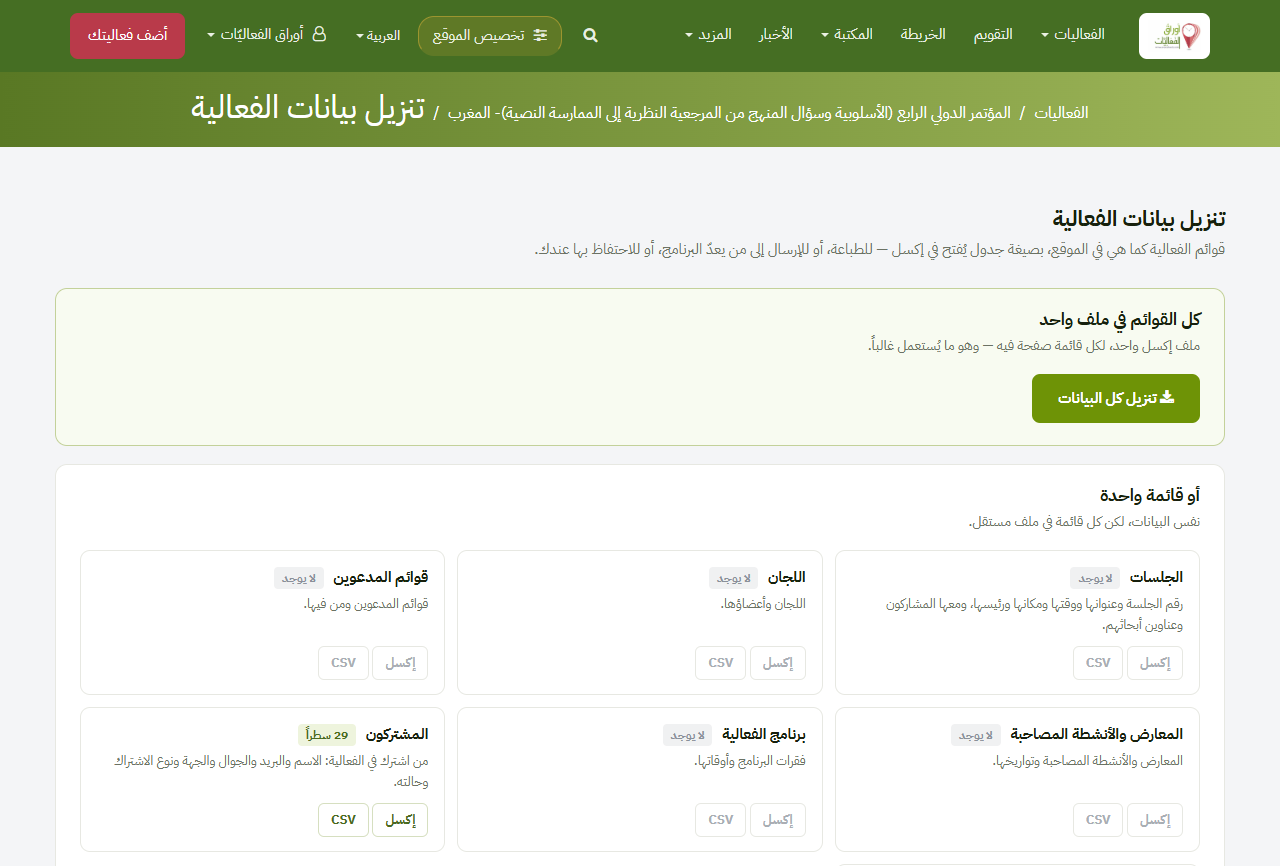
Download the event data
Every list an event holds as a spreadsheet: sessions, committees, invitees and the programme — and for the organiser, the subscribers and the submitted papers.
Open your event.
Above the tabs, «Download the event data» takes every list in one file; inside any tab, «Download this list» takes its own.
It opens straight into Excel.
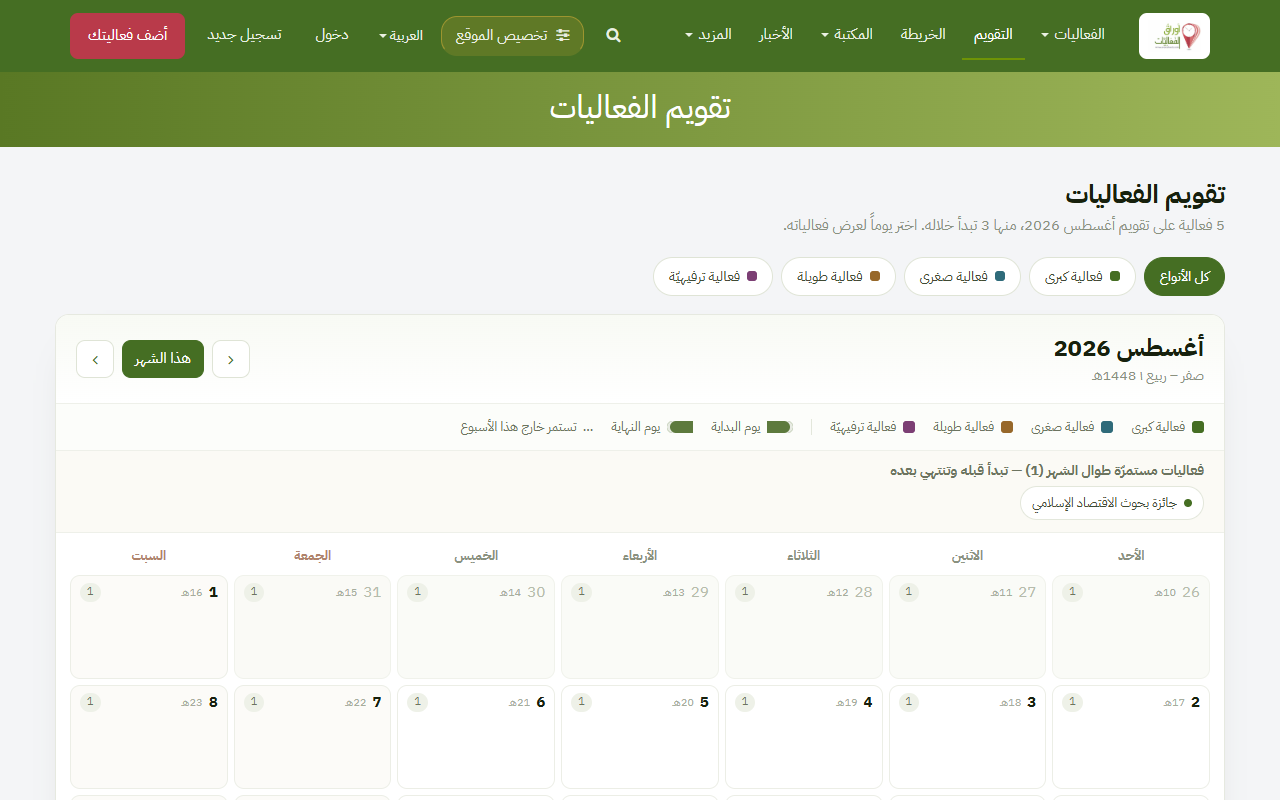
Events calendar
A month view showing events on their days, in both calendars, filterable by type — what is happening this month at a glance.
Open «Events calendar» from the top menu.
Click any day to see what is on.
Above the calendar sit buttons named after the event types — click one and the calendar shows that type alone.
Every page of this site exists in Arabic and in English, and switching between them is one click — the site remembers your choice, and writes to you in it, mail included. An organiser publishes an event in either language, and a researcher reads Arabic and English events side by side.
Press «العربية» at the top of the page to switch.
Browse as you like — the whole site follows you.
Press «English» in the same place to come back.
Your choice is remembered, on your next visit and in your mail.
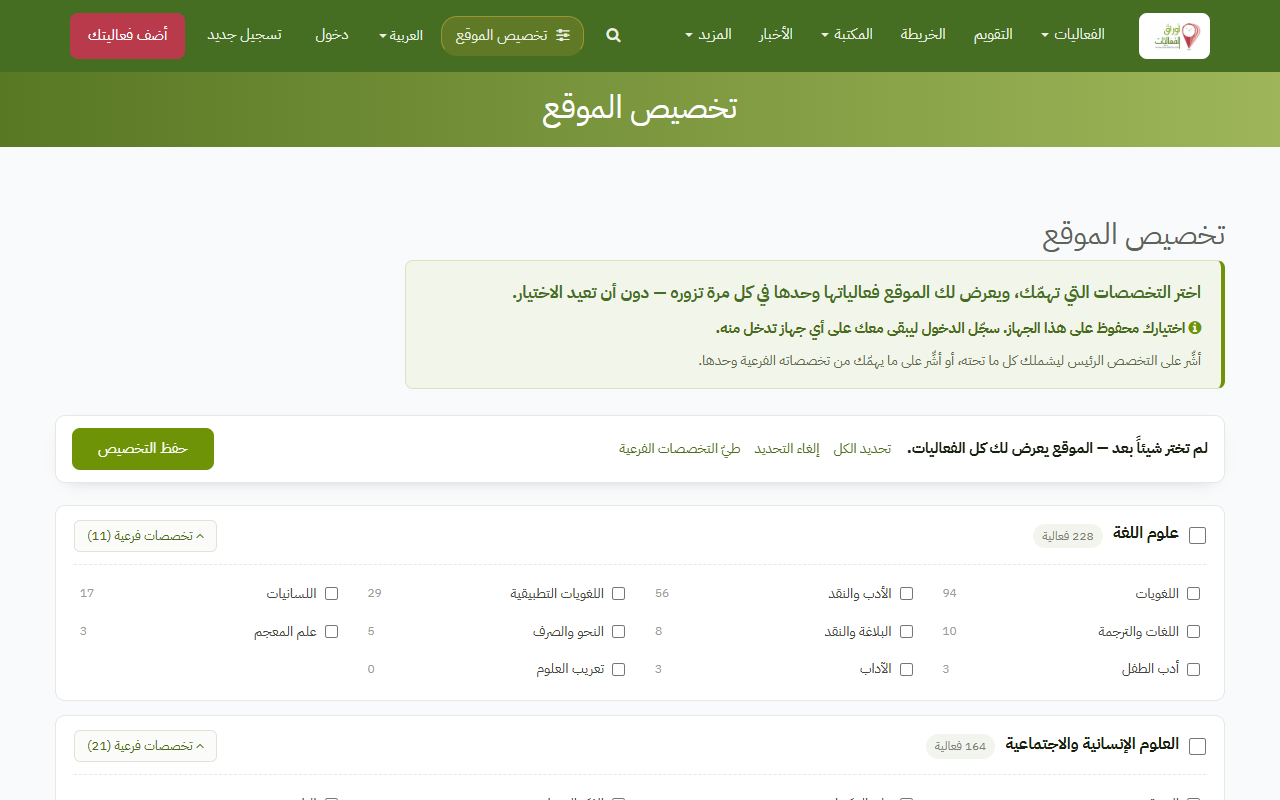
Choose your specialities once and every listing on the site narrows to them — the homepage, the archive, the calendar and the map. Reversible at any time.
Click «Personalise the site» at the top of the page.
Pick the specialities that interest you.
Save — every listing then narrows to them.
To undo: «Clear my choice» in the bar that appears.
One page gathering the events you organised, your accepted papers, the sessions you spoke at, your specialities and the professional certificates you hold — built by the site from its own record, so you write none of it. Keep it private, or publish it and it gains an address you can put anywhere.
Open «My account» from your account menu.
Write a line about yourself if you like, and tick your professional certificates.
Switch on «Public profile» and your page gains an address others can open.
One link on an event page puts it into your phone or desktop calendar, with a reminder the day before.
Open the event page.
Click «Add to my calendar».
Open the downloaded file and the date joins your calendar.
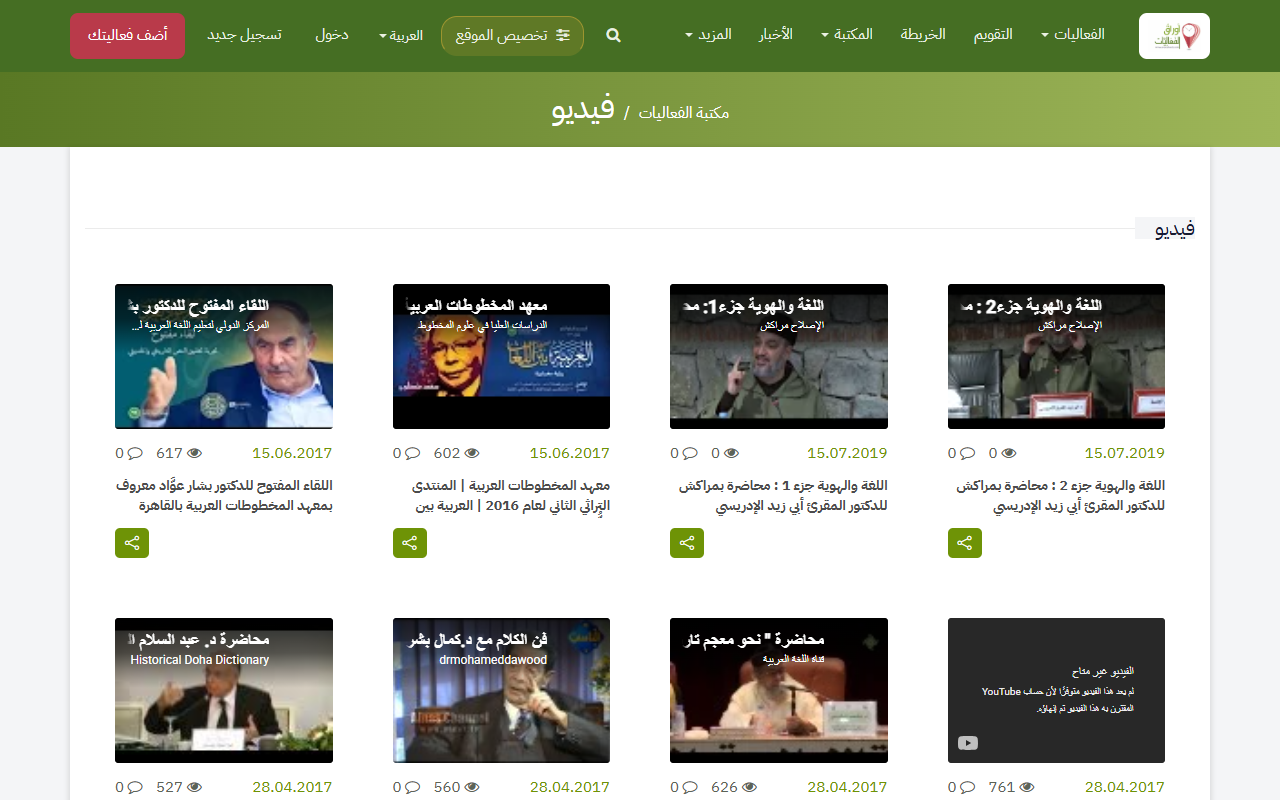
Events library
Books, papers, presentations and audio-visual material linked to events, arranged in sections.
Open «Events library» from the top menu, or from the footer.
Choose the section you want.
Download or read the material.
Advertise with us
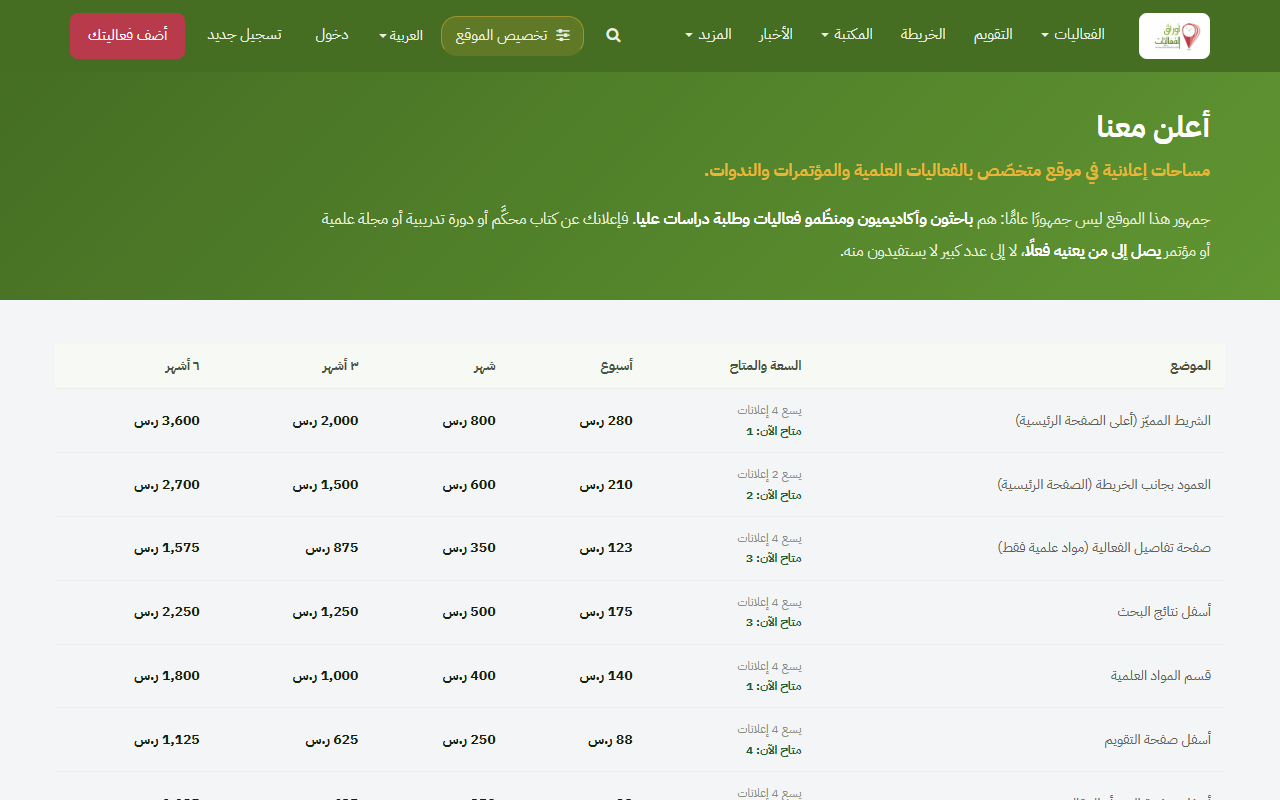
Nine advertising placements across the site, in several sizes: a wide band under the homepage hero, and slots on the event page, the calendar, under search results, in the events archive and inside the member mailings. «Advertise with us» shows each one’s picture, size, price and how much room is left in it.
Open «Advertise with us» at the foot of the page.
See the nine placements with their sizes, prices and a picture of each.
Check the «available» column for what still has room.
Send your advertisement from «Add an advertisement» in your account menu.
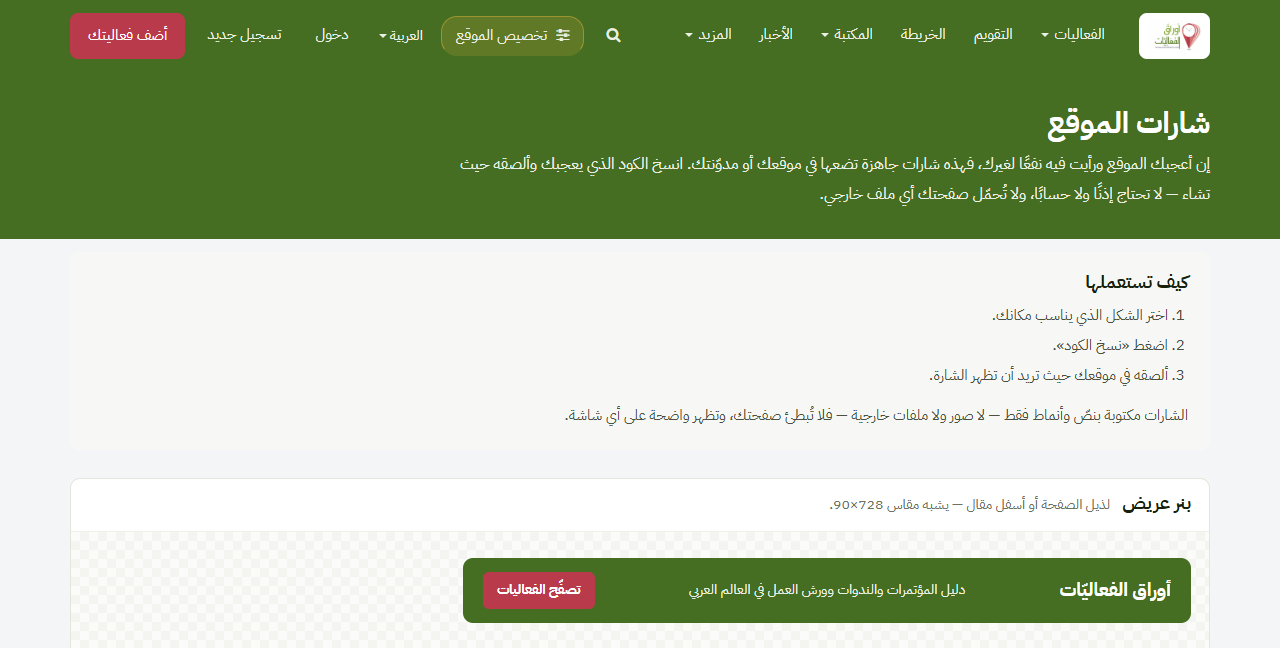
A badge for your own site or blog linking back to EventSheets — free, in four sizes. Sites that publish it are listed by name, with a link, on the «Friends of the site» page.
Open «Site badges» from the footer.
Pick the size that suits your site.
Copy the snippet and paste it into your page.
Write to us once it is up, and your site joins «Friends of the site».
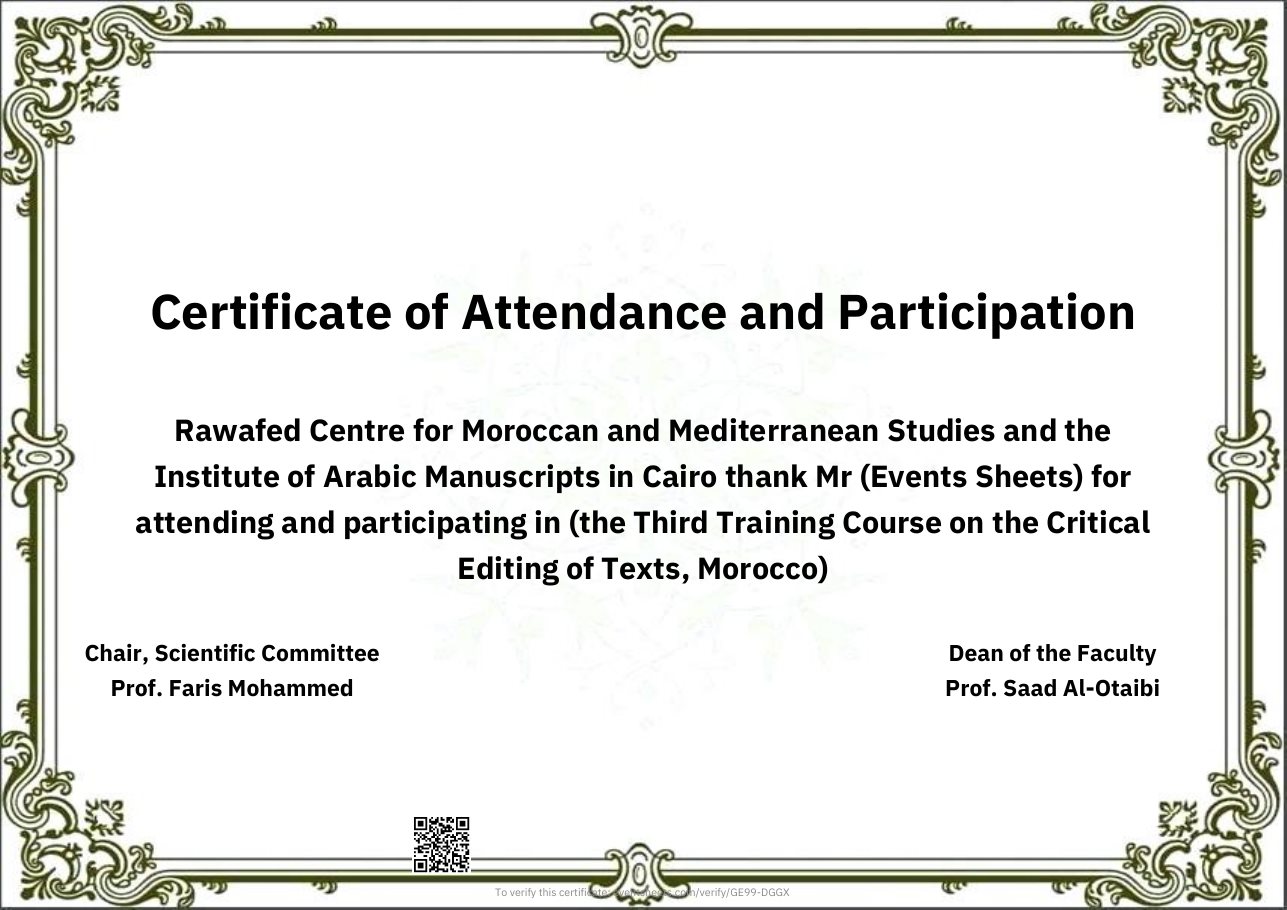
Every certificate issued here carries a printed verification code the site answers for at any time. This is a real certificate the site issued — press the button and check it yourself, now.
Everyone who files an event gets all of these tools — free.
Try the site on a demo conference
An invented conference with sixty registrants, twenty papers, scored review, a programme and certificates, seen as a participant and as an organiser — every organiser gets the same for their event.
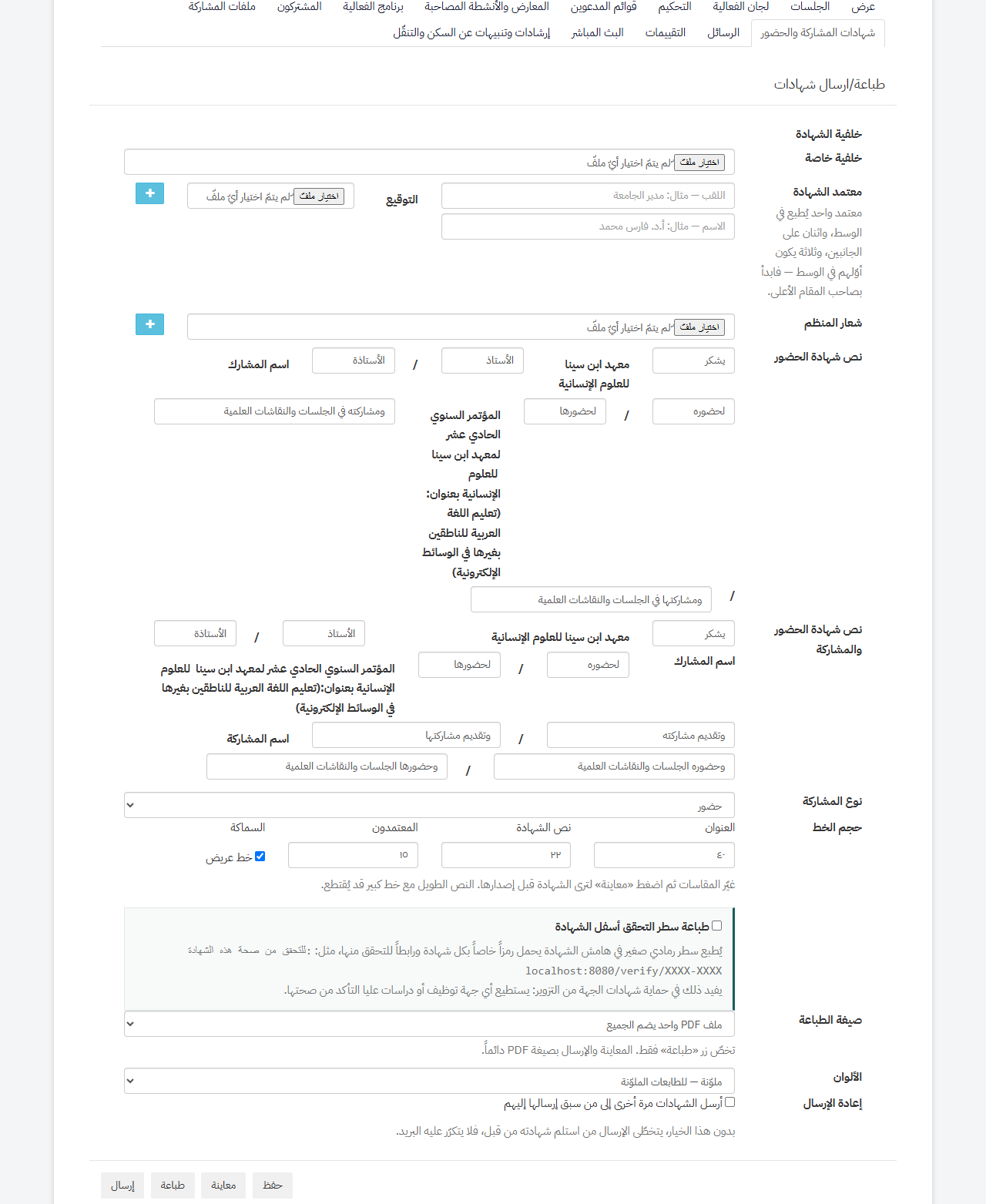
The organiser designs the certificate from their event page — logos, signatures, wording — then it is issued to every subscriber in the wording that fits them, masculine or feminine, and sent by email. Each carries a verification code proving it came from this site.
Open your event, then the «Certificates» tab.
Upload the logo and signature, write the wording, then Save.
Use «Preview» to see it before issuing.
Use «Send» and every subscriber gets theirs by email.
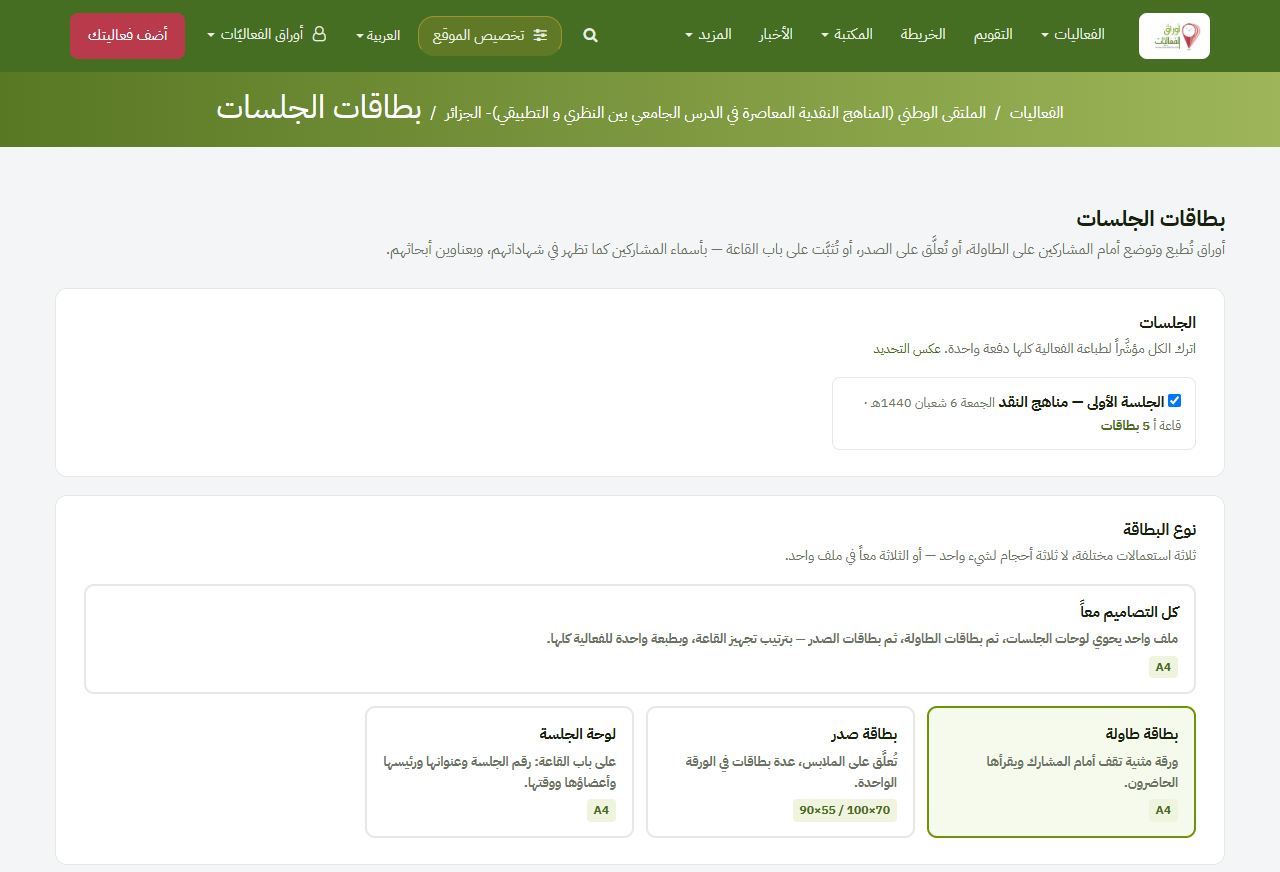
Session name cards
Printable name cards for participants: a folded card for the table, a badge, and a board for the hall door — at real sizes, ready to print.
Open your event, then the «Sessions» tab.
Add the session and its participants — a guest needs no account.
Click «Participant name cards».
Choose the design and size, then print.
Book of Abstracts
Collects the abstracts of accepted submissions into a single Word file, with an index, author names and paper titles. It opens in Word so you can format it as you wish, then print it or save it as PDF.
Open your event.
Above the tabs, press «Download the event data».
Choose «Book of abstracts (Word)».
Open “My events”
This tool works on one event: choose your event in “My events”, then open it from the event page.
Register of Full Papers
Your event full papers in one Word file in index order, with the papers also merged into a single PDF. It can be deposited in the events library as a permanent scholarly record of the event.
Open your event.
Above the tabs, press «Download the event data».
Choose «Volume of full papers (Word)» or «Merged volume of papers (PDF)».
Open “My events”
This tool works on one event: choose your event in “My events”, then open it from the event page.
Event dashboard
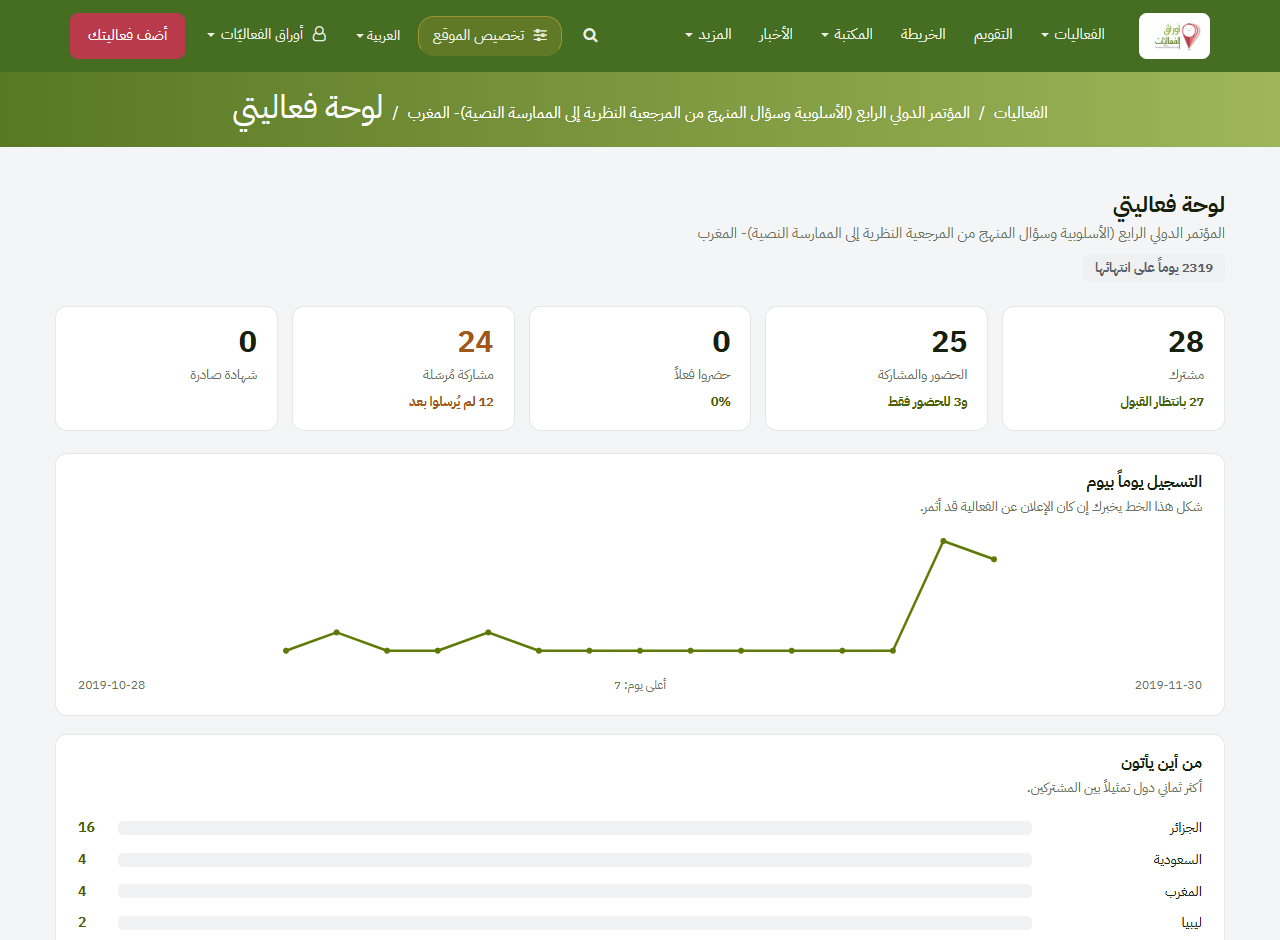
It shows how many registered for the event and from which countries, the registration curve day by day, how many actually attended, and who has not sent their paper — by name.
Open your event, then the «Registrations» tab.
Click «Event dashboard».
You get the figures, the registration curve, and who has not submitted.
QR attendance
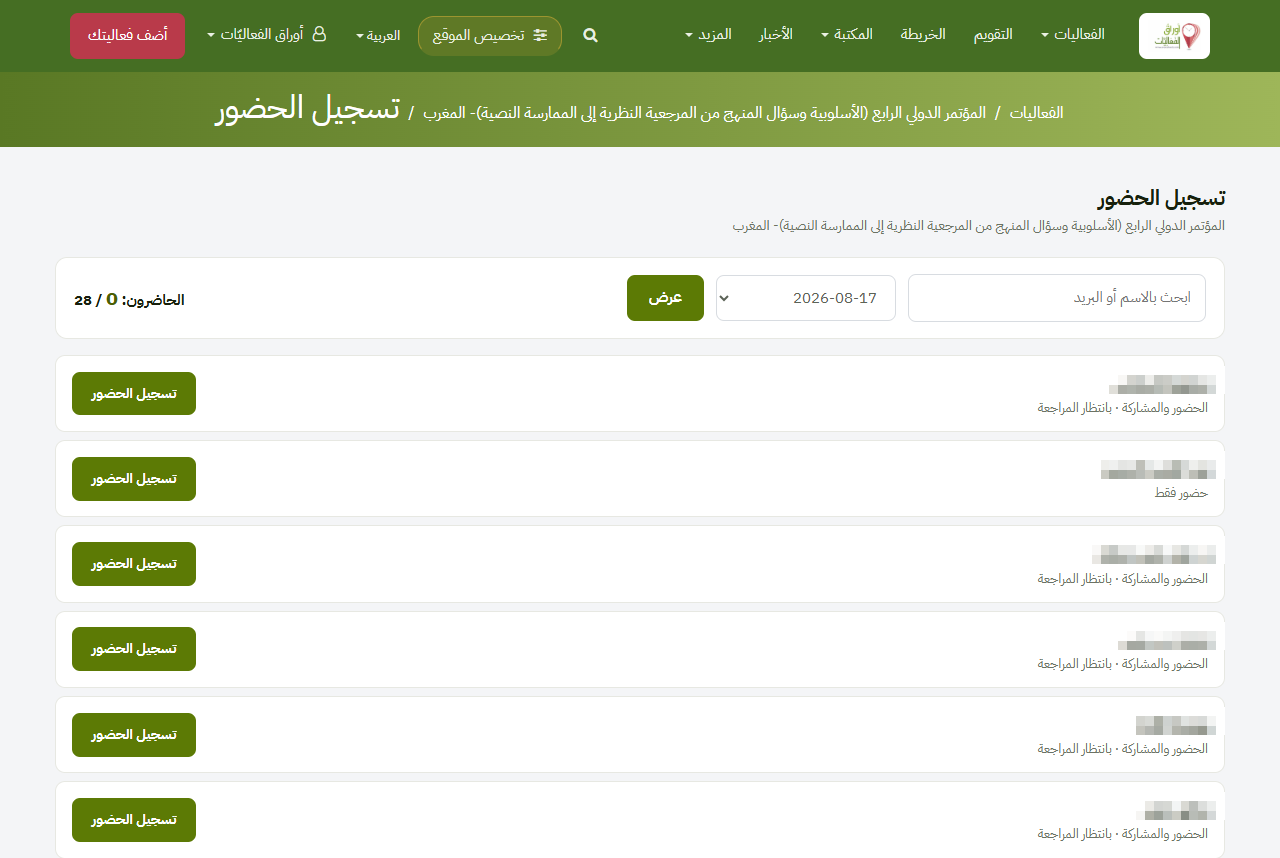
The attendee shows a QR on their phone at the door — or on their printed chest badge, which carries the same code — and the organiser scans it with an ordinary phone camera. Attendance is recorded in a second; no app, no device.
Open your event, then «Registrations» → «Check in attendees».
The attendee shows «My entry pass» on their phone, or their printed chest badge carrying the same code.
Scan the code with your ordinary phone camera and they are checked in.
A private event, for your guests only
Not every gathering is announced. Choose «private event» and yours appears in no listing, no calendar, no map, no search — not ours and not Google’s. Enter your guests’ names and addresses and the link reaches them; whoever holds it opens the page without signing in, and you keep every tool the site offers: programme, sessions, cards, certificates.
Open «Add your event» and fill it in as usual.
At «Event privacy» choose «private event».
An invitee table appears — enter each guest’s name and address, «Add guest» for the next.
Save, and the site emails each of them the event’s link.