Publishing your event is always free. These are the services that run an event from start to finish, in the order the event itself runs. Each carries a mark: free, in both packages, or in the scientific conference package only. The complete list is on the «How the site works» page.
What tells people about your event and invites them.
A ready poster from your event's details, with a QR code that opens its page, in A4, square and tall sizes.
From your event's own details the site draws a ready poster: title, dates, place and your institution's logo, with a QR code that opens the event page from a phone camera. In three sizes: A4 to print and pin up, square for social media posts, and tall for stories. It is drawn in your browser and downloads as an image in one click.
Enlarge
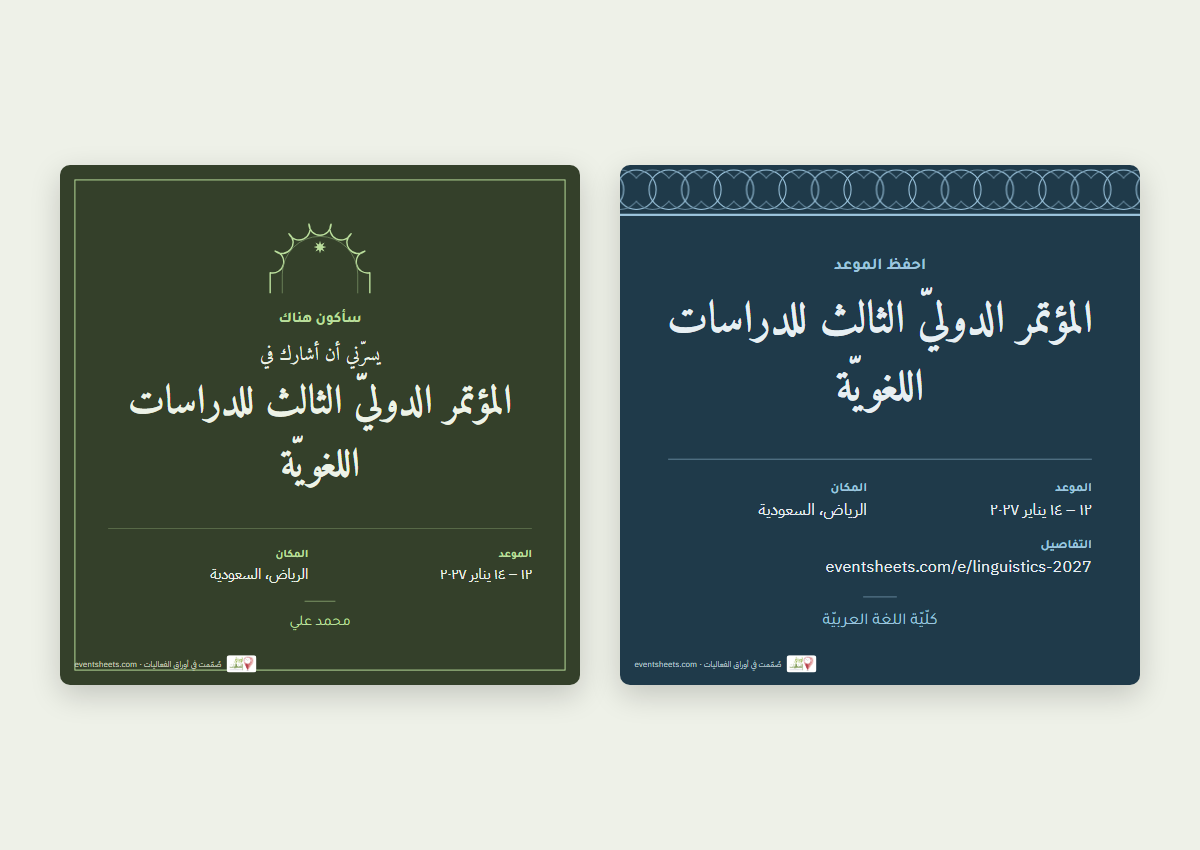
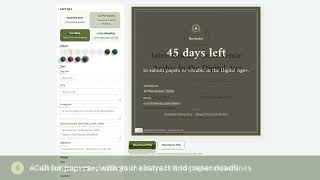
«Save the date», «Call for papers» and «Deadline» cards filled in from your event, and a named card for every registrant.
Design cards for your event to post on your accounts: «Save the date», a «Call for papers» with the abstract and paper deadlines, and a «Deadline» card counting the days left. They are filled in from your event's own details — title, dates, place, your institution's logo and colour, and the link — and you change anything, pick the colour, size and typeface, then download an image. Every registrant whose registration is accepted gets an «I am attending» card with their own name to post, which spreads your event with them. «Save the date» and «I am attending» are free for every published event; all the cards come with either package.
The event's language and English title, the time in each visitor's own zone added to their calendar in one click, and the platform link for registrants only.
Set your event's language (Arabic, English or both) and add its English title and description, so a foreign reader finds it on the English version of the site. Enter the start time and its time zone, and every visitor sees the time in their own country and adds it to Google or Outlook calendar in one click. For an online event you can show the platform link to registrants only.
Every event page gives its visitors three buttons: Google Calendar, Outlook Calendar, and a calendar file any phone or computer calendar opens. The event enters their calendar in one click with its date, place and page link — and at its exact hour if you gave a start time and time zone, so it shows in their own local time; otherwise as an all-day entry.

Who comes, at what fee, and who presents a paper.
Seats and an automatic waiting list, your fee table as it really is, and the money goes to you, not the site.
Open registration on your event page if you wish, and set a number of seats: registration closes when they are taken and an automatic waiting list begins — when someone withdraws, the first person waiting takes the seat and is told. Write your fees as they really are — by type of participation, the participant's country, accommodation or rank — each with optional start and end dates, so the early price ends on its own day. The money never passes through the site: participants pay into your account or your own payment link, then upload the receipt on the event page. Add your co-organisers to run the event with you, each with the access you grant.
Abstracts and papers by their deadlines, automatic reviewer assignment, blind review with scores, and the decision reaches the author.
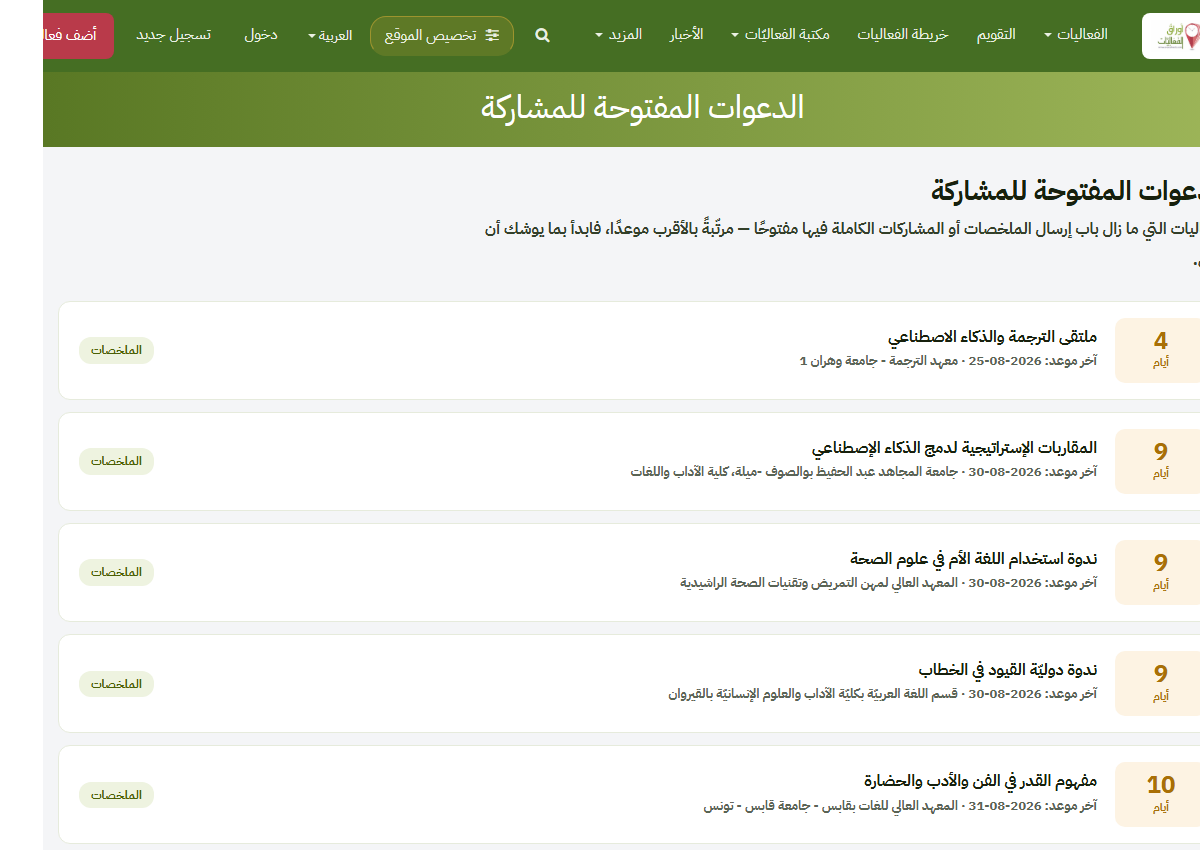
Researchers submit abstracts and papers on your event page by their deadlines, and you assign them to reviewers yourself or automatically in one click: as many reviewers per paper as you choose, with the load balanced and a cap per reviewer. A reviewer opens a private link — no account needed — and gives a decision and a score from 1 to 5, whose average you see under each paper. In blind review the reviewer never sees the author's name, and the site warns you when an author has typed their name inside the paper. Once you approve a decision (accept, reject, or revise with the reviewer's notes file) it reaches the author automatically. Your call appears on the open-calls page, and the site gives you its text ready to post on international call listings such as WikiCFP.
The programme, the rooms and the door.
Enlarge
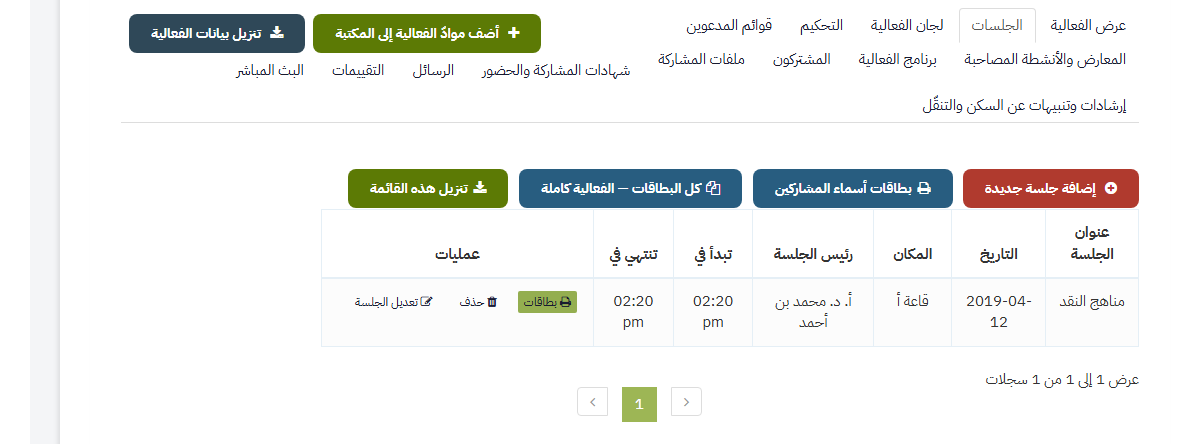
A programme by day and room, a speakers page, «My schedule» for attendees, and printed table cards and badges.
Full tabs on the event page: sessions and speakers (a speaker need not be a member), committees and their members, invitee lists, exhibitions and side activities. The programme shows as a grid by day and room, your speakers get a page listing each of them with their sessions, and in «My schedule» an attendee picks the sessions they will attend and is warned when two clash. And all of it prints in one click: table cards, badges and session boards at their true sizes.
Enlarge
Check-in with your phone camera, messages to registrants, automatic reminders, and a dashboard of who registered and from where.
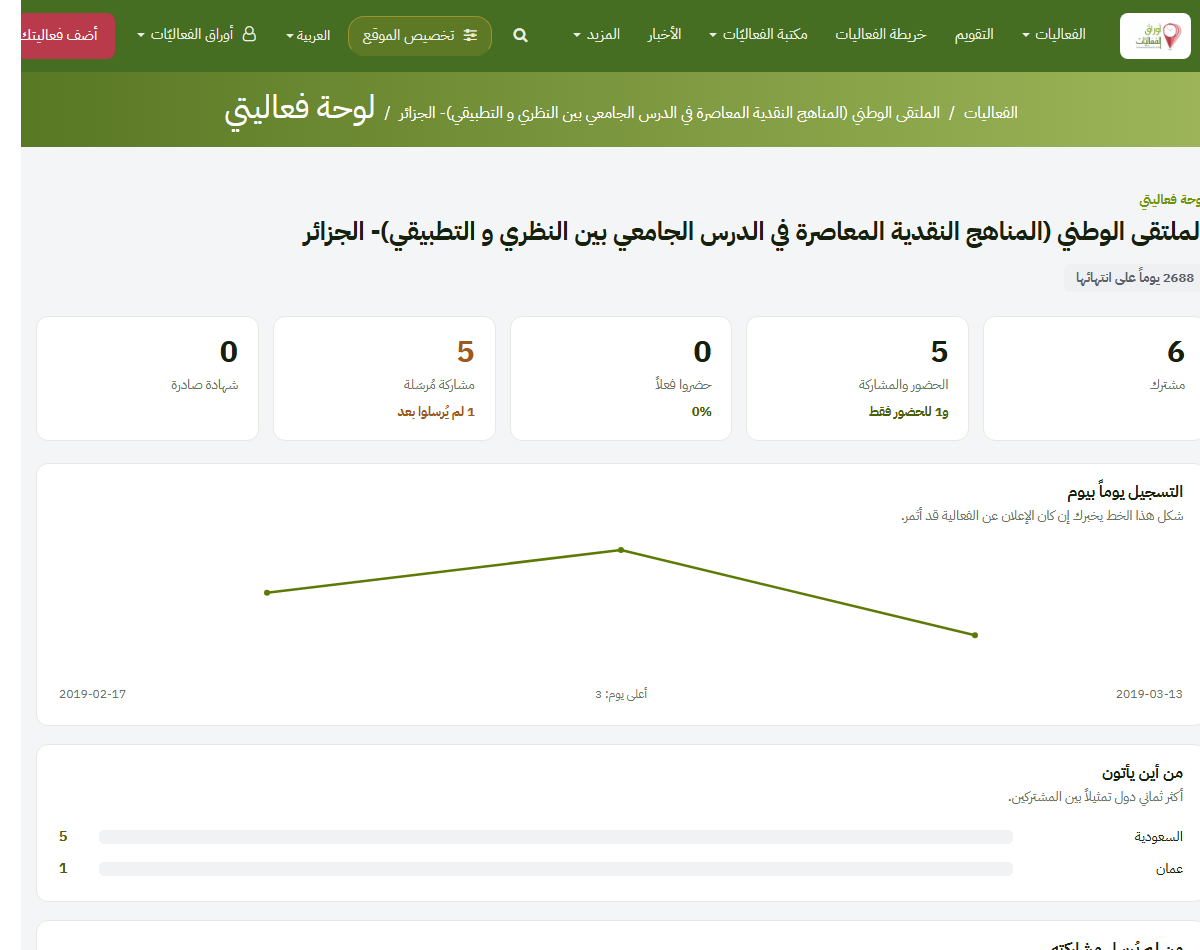
Each participant gets an entry pass with a code, and you record arrival and departure at the door with your phone's camera, day by day. Write to your registrants from the event page — all of them, attendees, paper presenters, or those actually checked in — and their replies come to your own mailbox. The platform reminds them automatically before the event and before deadlines. Follow your event's dashboard — who registered, where they came from, what they read — and add your own Google Analytics or Meta Pixel code to the event page if you wish.
A poll you open before, during or after the event, with its result in the final report.
Create a question with its options on your event page and open it at the stage you choose: before the event (which sessions matter most?), during it (the hall's view on a point, shown on the screen), or after it (what should we repeat?) — then close it. You may limit it to your registrants, and the results appear for you and in the final report.
What stays with the participants and your institution.
Enlarge
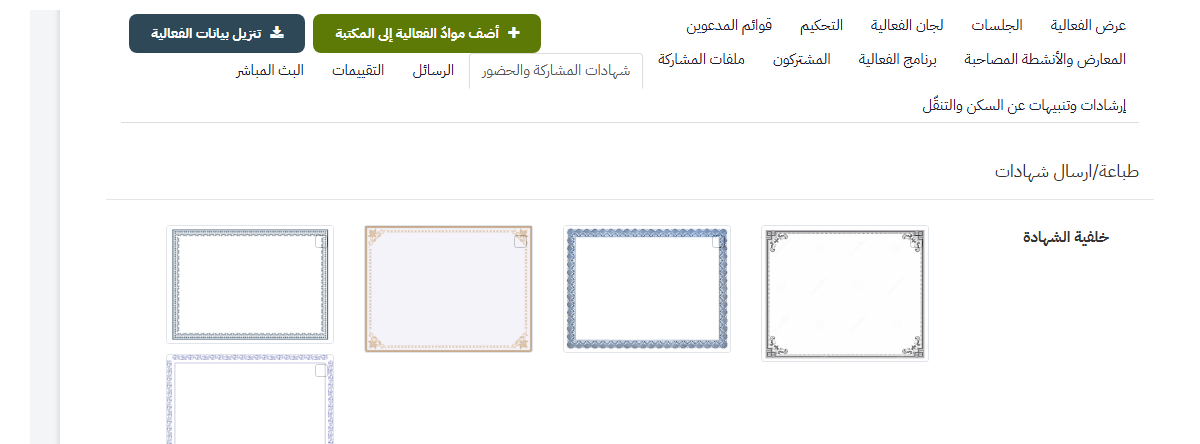
With your background, logo and signatures, for those who actually attended if you wish, each with a verification code.
PDF certificates with your background, your body's logo and up to three certifiers' signatures and stamps, issued to every participant at once and mailed. You may give them only to those who actually attended (one day, half the days, or all of them), issue them automatically — at the door once the condition is met, or after the event ends — and ask a satisfaction survey first. Each carries a verification code and a QR code proving it was issued here.
A question for attendees, a printable final report of figures without names, and your sponsors' logos on the event page.
Send a question to those who attended and see the answers. Take the one-page «final report» for printing: registrations and attendance day by day, certificates, papers, countries, page views — figures without names, fit for a dean or a sponsor. Your sponsors appear on the event page with their logos, the logo growing with the sponsorship tier.
A page for every accepted paper, indexed by Google Scholar, at an address fit to cite.
The accepted papers of your event can be published — if you choose — one page per paper with its title, authors, abstract and file, under a page gathering the whole proceedings. Each page carries the tags Google Scholar reads, so the paper is indexed, appears in its results and its citations are counted, and its address is permanent enough to cite.
Enlarge
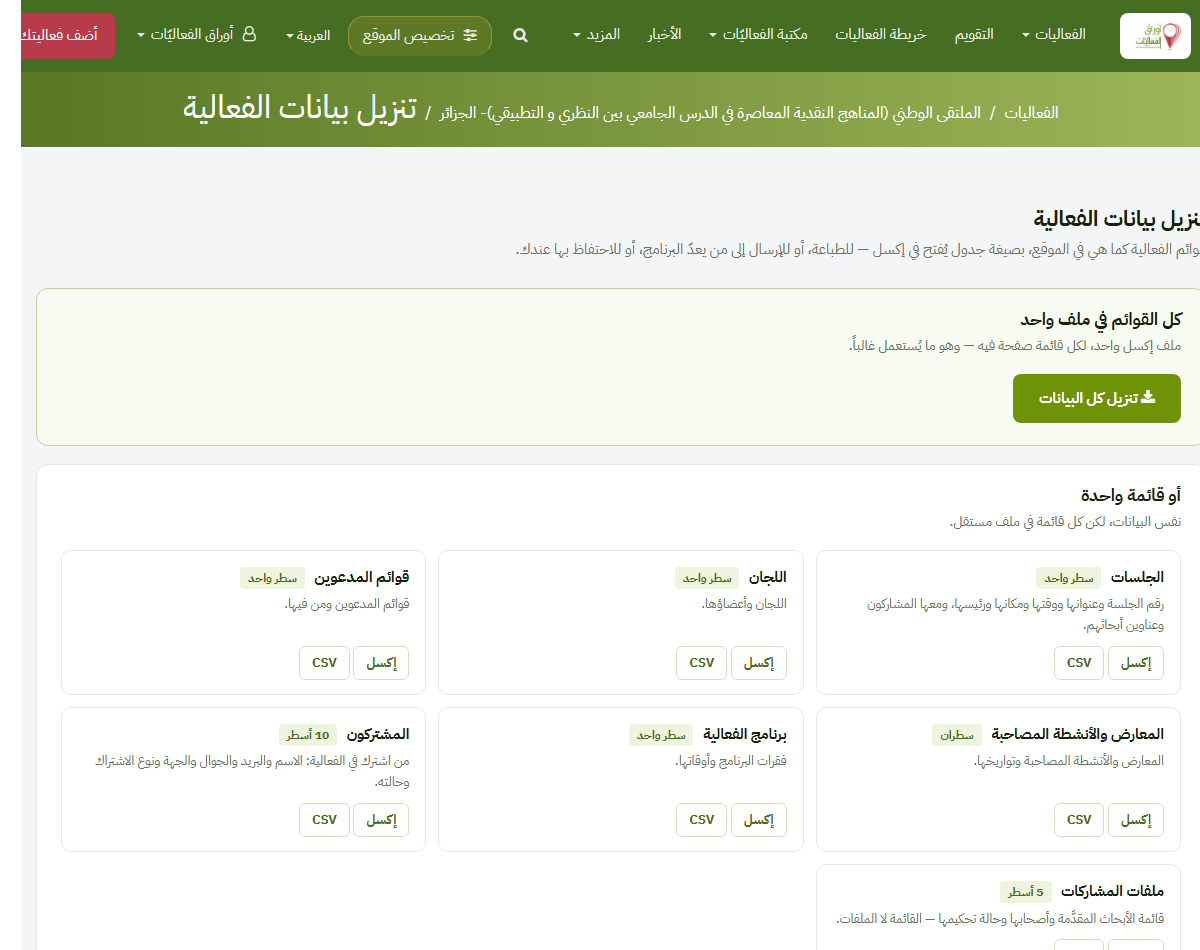
Every list as an Excel file, and live links to your institution's systems (webhooks, Zapier).
Every list of your event — participants, sessions, committees, invitees — downloads as ready Excel or CSV, and the submitted papers as one zip, whenever you want. If your institution has its own system, connect the event to it: every registration, submission and decision reaches it at once (webhooks, working with Zapier), documented for your technical staff on the «For developers» page.
Short videos that walk through the site step by step, about a minute each.
1:26
How to publish your event
Watch the video
0:56
From call for papers to peer review
Watch the video
0:56
Certificates, from design to verification
Watch the video
0:56
Event day: programme, cards and check-in
Watch the video
0:44
Social media cards for your event
Watch the video
0:38
The organiser's dashboard and final report
Watch the video
0:56
For researchers: find your conference and take part
Watch the video